Gamma stands out as a user-friendly AI tool designed for teachers to create impactful presentations quickly and efficiently.
For educators seeking efficient solutions to create presentations, Gamma has emerged as a prominent tool. While several AI slideshow generators exist, Gamma’s capabilities make it a go-to choice for teachers. Let's explore what sets it apart from the competition.
Canva: Known for its integration with design tools, Canva allows users to enter a topic and let its AI generate slides instantly. Many schools already embrace Canva, facilitating smooth access for teachers and allowing for diverse design options. The platform's vibrant templates can enhance classroom engagement, but it often requires a bit more groundwork from users in terms of design elements.
Brisk Teaching: This Chrome extension transforms webpages into Google Slides presentations with minimal effort, aiming to simplify the process of gathering information from the web. Its utility lies in how it allows educators to quickly convert their online resources into shareable formats, which is invaluable when time is limited.
Prezi: It offers a unique approach with zoomable presentation formats instead of traditional linear slides. While this can be visually captivating, it may also risk overwhelming audiences if not used judiciously. Prezi’s distinct style necessitates a slight learning curve for users accustomed to conventional presentation formats.
Microsoft PowerPoint: Utilizing the Copilot feature, it can autonomously create presentations based on user prompts, pulling content from existing documents. PowerPoint’s deep integration with Microsoft’s ecosystem is beneficial, but the tool may not always keep pace with the rapid advancements in AI capabilities seen elsewhere.
NotebookLM: More of a video slideshow tool, it generates narrated overviews from added sources, appealing to varied presentation needs. This feature could be particularly advantageous for educators looking to incorporate multimedia into their teaching strategies.
Among these options, Gamma often delivers the most refined final products. Users find the whole process engaging as the AI constructs slides while they observe. The transparency in the slide creation process fosters a sense of control and creativity that some competing tools may lack.
Gamma's Key Features for Teachers
Gamma stands out because it streamlines the presentation creation process. With just a few inputs, you can:
Transform a PDF: Upload a document, and Gamma will convert it into a slideshow format. This feature is particularly useful for teachers who want to repurpose existing content, saving them significant time.
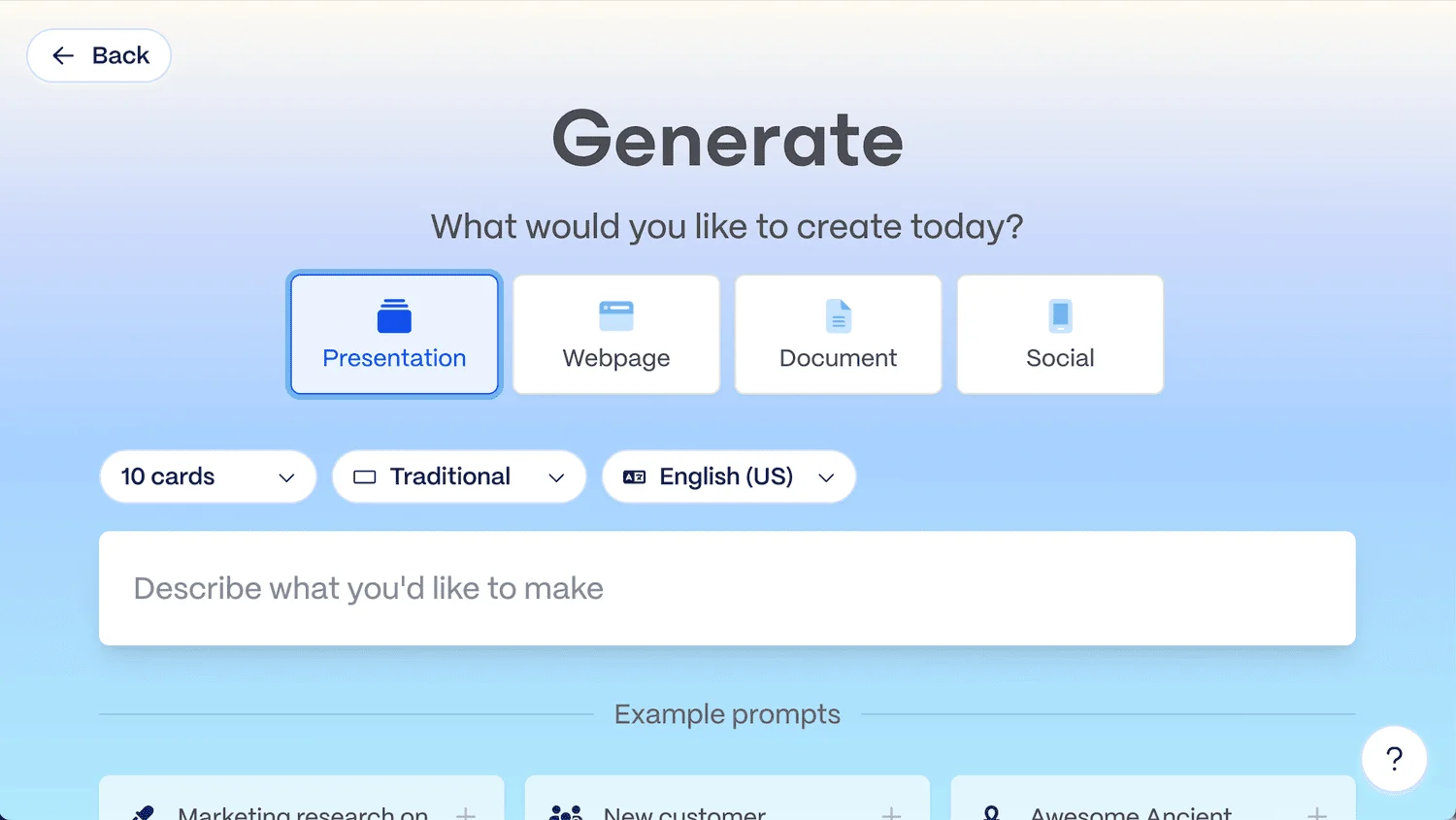
Outline Your Topic: Describe your intended content, and Gamma generates an editable outline prior to building the complete presentation. This preliminary stage allows users to refine their thoughts before diving into slide design, ensuring a more cohesive final product.
The real-time generation of slides adds an element of excitement. As the draft is completed before their eyes, users can immediately visualize the narrative flow of their presentation. This instant feedback loop can enhance the creative process, allowing for quicker adjustments and fostering a collaborative atmosphere if used in group settings.
When it comes to collaboration, Gamma offers a variety of sharing options:
Invite Collaborators: Quickly engage with others for feedback or input, invaluable for educators who often work in teams to develop curriculum materials.
Web Links and Embedding: Effortlessly share your presentation via a link or by embedding it elsewhere, making it easier to distribute across platforms commonly used in education.
Export Formats: Export your work as a PDF, PowerPoint file, Google Slides, or PNG images for versatile use. This flexibility allows educators to integrate their presentations into different teaching environments or share them with students more effectively.
For example, I challenged Gamma to create a presentation titled Deep Dive into Prompting an AI Chatbot. I specified a water theme with a structure informed by the RAFT method. The initial output was impressive, ready for further refinement on my part. This demonstrates Gamma's ability to cater to specific content needs, which can be a significant advantage for educators aiming for tailored educational materials.
Beyond Just Slides
Gamma's capabilities extend beyond slide generation; it's also adept at creating webpages, documents, and social media content, offering flexibility for various educational tasks. This comprehensive toolset means that educators can utilize Gamma across multiple platforms, creating a unified content strategy for their teaching resources.

Costs and Credits
Upon signup, users receive 400 free credits, with a typical presentation utilizing around 40 credits. This credit model encourages exploration, as users can experiment with various templates and styles without immediate financial commitment.
With Gamma Plus ($8/month or $96/year), subscribers access unlimited AI presentations with up to 20 slides per project. This pricing structure positions Gamma as an accessible option for educators on a budget while still delivering premium features.
Future Implications of AI Assistance in Education
The rise of tools like Gamma raises questions about the future of presentation creation and the overall role of AI in education. If you're working in this space, you might wonder how dependent educators should become on AI for their instructional design. The immediate benefits, such as time savings and enhanced creativity, are clear. However, the long-term impact on teaching methodologies and student engagement is still evolving. Will reliance on AI stifle personal creativity in educational materials?
There’s also a societal angle to consider. As AI tools become more mainstream, disparities between tech-savvy and less tech-savvy educators could widen, potentially affecting educational equity. Schools may need to implement training sessions so that all faculty members can fully benefit from these advancements.
Concluding Thoughts
Personally, I prefer crafting my own presentations to clarify my own ideas and ensure my slides are effective visual aids. Relying solely on AI for slide creation wouldn't yield the same quality of work. However, Gamma presents a strong option for educators seeking to quickly generate engaging presentations or looking for a creative boost. It's definitely worth considering for those who value efficiency, especially with its reasonable pricing for expanded features.
👉 Ready to try it? Sign up for Gamma here and start with 400 free credits.I even integrated this blog post into Gamma, showcasing how effortlessly it generates a presentation from a URL. Check out the embedded slide deck below!



Discussion
Sign in to join the discussion.