Discover how to enhance Google Drive link functionality with the new Linking in Hand tool, enabling streamlined sharing and access.
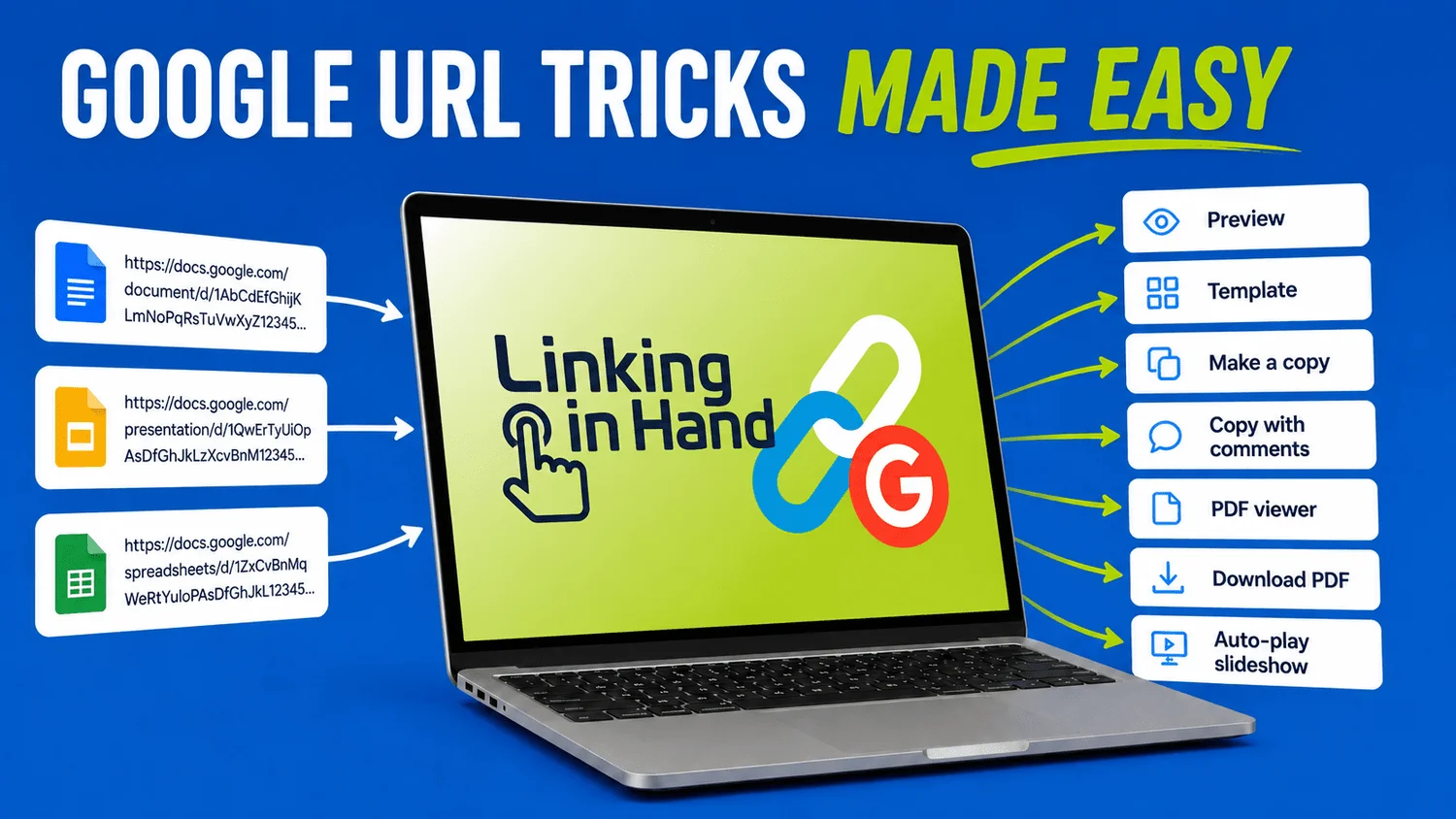
The sharing capabilities of Google Drive documents—whether they’re Docs, Sheets, Slides, or Drawings—just got a lot more versatile with a new tool called Linking in Hand. By adjusting the shareable link, users can create tidy previews, force visitors to make copies, or convert documents into downloadable PDFs, among other tricks.
Streamlining Document Sharing
In an environment where collaboration is increasingly digital, streamlining how we share documents is vital. Google Drive has long been a popular choice for businesses, educators, and casual users alike, primarily for its shared document capabilities. But even with these advantages, sharing Google documents often fell prey to complexity. Users sometimes faced hurdles when attempting to modify links for specific purposes, and knowledge of those specific URL structures wasn't universal. That's where Linking in Hand enters the picture, simplifying what could be a cumbersome process.
Linking in Hand operates like a bridge between the raw, slightly cumbersome Google URL structures and user-friendly sharing options. Its design caters to the daily needs of those who regularly distribute resources—be it amongst colleagues in a business setting or among students in an academic one. By cutting down on the manual editing often required for each new link, this tool not only saves time but also minimizes the risk of sharing incorrect or invalid links.
Features of Linking in Hand
Linking in Hand provides several options, enhancing user experience significantly:
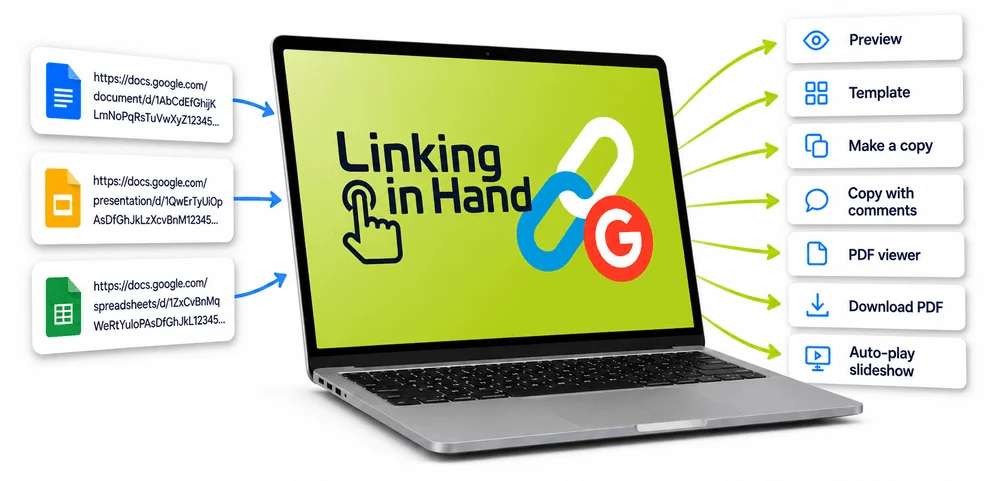
- Preview — offers a clean, read-only view void of editing tools.
- Make a Copy — directs users to a screen to generate their own copy of the document.
- Copy with Comments — allows the new copy to include existing comments.
- Template — presents a preview with a "Use Template" button for fresh copies.
- PDF Viewer — opens a view of the document in its PDF format, great for embedding.
- Download PDF — generates a direct PDF download link.
- Auto-play Looping Slideshow — creates a self-running, full-screen presentation.
Each of these features has particular relevance in today's context. For educators, the Template option is especially useful when creating repeatable formats, such as lesson plans or study guides. The Copy with Comments feature addresses a common pain point, where collaborative feedback can get lost when sharing a document. As a result, this tool not only enhances productivity but also fosters a more collaborative spirit, which is essential in both educational and professional environments.
The Role of AI in Development
This tool, developed alongside Claude and hosted on Teacher Hive, exemplifies the effective use of AI to craft a precise tool tailored to solve everyday challenges faced by educators and professionals alike. AI integration in tools like Linking in Hand suggests a broader trend towards automating routine tasks within software, which is promising. The ability to take input and output a functional, simplified version could change how users in a variety of sectors interact with technology. But it's easy to wonder: what are the limits of such automation?
With the rise of AI, there’s a lingering question about the balance between efficiency and user control. Users often appreciate nuanced control over their document presentation, something that a fully automated tool may lack. (And this is the part most people overlook.) Striking the right balance will be crucial if applications like Linking in Hand are to find lasting usefulness in a competitive tech space.
Implications and Future Outlook
What this means for you is that as document sharing becomes more and more key to effective collaboration, tools like Linking in Hand may become essential in your toolkit. It's easy to dismiss these advancements as minor improvements, but the reality is that they reflect a growing need for efficiency. As more educational institutions and companies lean on digital solutions, features that simplify processes will gain greater traction.
Moreover, the broader implications of this technology extend beyond just Google Drive. The success of Linking in Hand could inspire similar tools for rival platforms, pushing for more straightforward and user-friendly sharing options across the board. It’s feasible that with growing demand, software companies will take notice and begin expanding their features to avoid losing users to simpler alternatives.
If you're working in this space, consider how tools like these can impact your day-to-day tasks and collaboration styles. They signal a shift towards making our digital work lives less about logistics and more about the content itself. Simplifying the act of sharing isn't just a convenience—it's a smart strategy to enhance productivity, and tools like Linking in Hand are leading the way.
Give Linking in Hand a try, and you might find it as indispensable as I do, especially for generating template or PDF links that can easily slip the mind.
Bookmark it for quick access next time you want to share a Google Drive resource effectively.



Discussion
Sign in to join the discussion.